The Mobile Filmmaker
Shoot cinematic videos with your phone in under 2 hours
You already carry a cinematic camera in your pocket. This course shows you exactly how to use it, so you can stop waiting for a better camera and start making videos people remember.
- Lifetime access
- iPhone & Android
- 14-day money-back guarantee
01 · The difference
Same phone. Different filmmaker.
Left: a phone on auto. Right: the same kind of moment, shot with intention. This course closes that gap.
02 · The real problem
It's not your phone. It's the process.
Dozens of random tutorials won't fix it. One clear, start-to-finish process will.
-
00:00:04
“It still looks like phone footage.”
Too sharp, too shaky, too flat. You can see the difference but you can't name it.
-
00:00:11
“The exposure jumped mid-shot.”
Your phone keeps making decisions for you, and they ruin the take.
-
00:00:27
“It all fell apart in the edit.”
Colors don't match, the audio is unusable, and the story just isn't there.
03 · The pocket-to-cinematic path
Six skills. One finished film.
Every lesson comes in the order you'll actually use it, from the first setting to the final export.
-
SC. 01
Control the image
Lock exposure, focus and white balance so your phone stops guessing.
-
SC. 02
Shape the light
Use windows, lamps and inexpensive lights so faces glow instead of looking muddy.
-
SC. 03
Compose with intent
Angles, lenses and framing that make every shot feel planned.
-
SC. 04
Move like a camera operator
Smooth, motivated movement, handheld or on a gimbal.
-
SC. 05
Edit the story
Organize your clips, cut for rhythm and add the sound that pulls people in.
-
SC. 06
Grade & deliver
Build a consistent cinematic look, then export for YouTube and Instagram.
04 · What you'll create
One phone. Every kind of story.
Family films, travel videos, short films, business content: the same skills work everywhere.
05 · Inside the course
100+ lessons. Zero guesswork.
Step by step, in order. No more jumping between YouTube videos trying to piece it together.
- 01
Introduction
Which smartphone to film with in 2026
- 02
Camera settings
The best settings for a cinematic look
- 03
Camera apps
Which camera app to use, and why
- 04
Phone gear
The gear worth buying, and what to skip
- 05
Camera angles
Angles that make your films feel bigger
- 06
Camera movement
The cinematic moves to master first
- 07
Lighting 101
Understanding light when you shoot on a phone
- 08
Lenses
Add-on lenses that change the look
- 09
Gimbals
Smooth, controlled movement with a phone
- 10
Editing
Turning clips into a story
- 11
Color grading
Beautiful, consistent smartphone color
- 12
Exporting
Export settings for YouTube and Instagram
06 · Included free
Five bonuses to finish faster.
-
$120 value
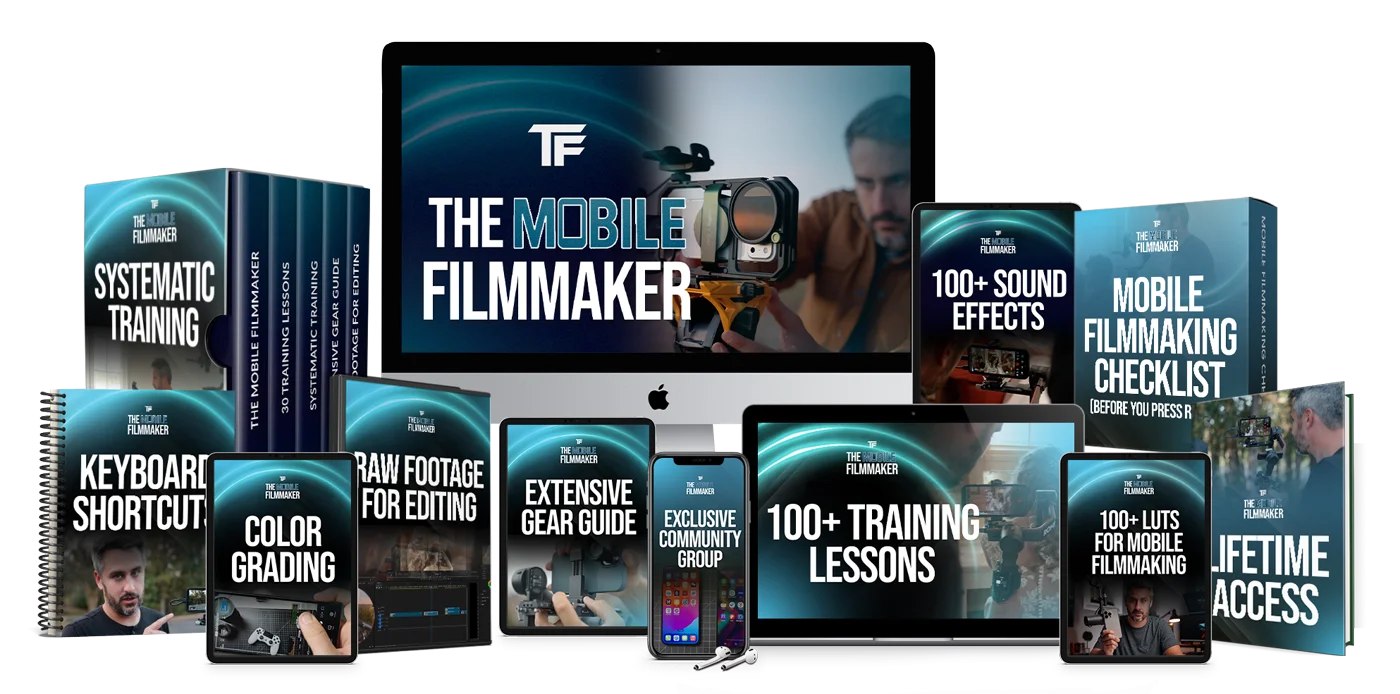
100+ Smartphone LUTs
Custom LUTs used on real shoots and weddings. Most courses give you five or six.
-
$55 value
Keyboard Shortcuts
The custom shortcuts for Premiere Pro & DaVinci Resolve that speed up every edit.
-
$40 value
100+ Sound Effects
The most-used SFX for packing your videos with immersive sound design.
-
$20 value
Extensive Gear Guide
Every piece of gear we recommend and use personally, with links.
-
$20 value
Filmmaking Checklist
Run through it before you press record, so you never miss the shot.
07 · Proof
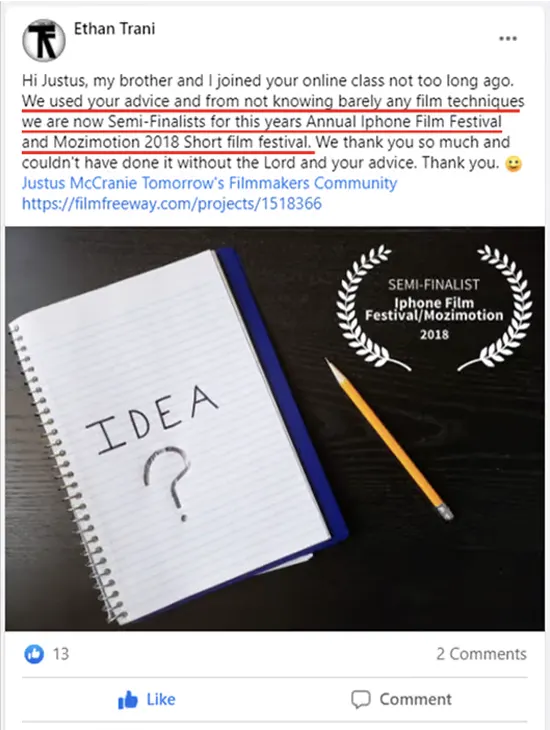
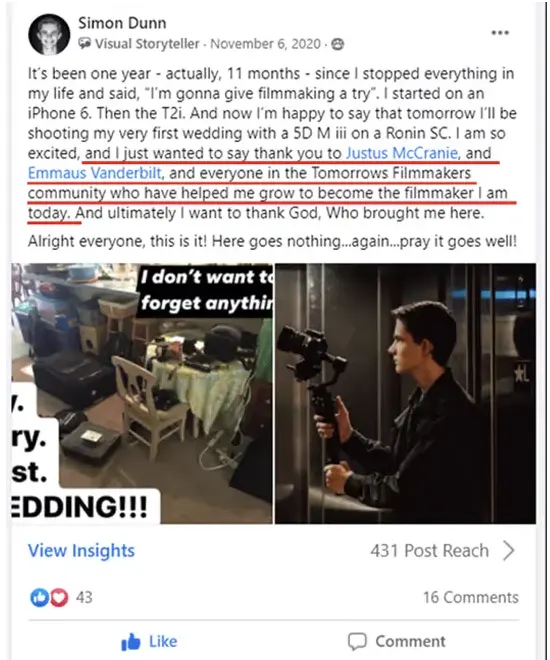
From phone footage to film festivals.
Winner · Digital Education Award
Digital Arts Product of the Year
Tomorrow's Filmmakers
Lifetime access
Shoot it. Edit it. Grade it. All on your phone.
- 100+Training videos
- 40kStudents
- 100+LUTs
Everything you get today
Start creating tonight.
- 100+ training lessons$197
- 100+ Smartphone LUTs$120
- Keyboard editing shortcuts$55
- 100+ Sound effects library$40
- Extensive gear guide$20
- Filmmaking checklist$20
- Step-by-step, in-order trainingPriceless
Delivered instantly. Start learning in the next 2 minutes.
The cost of waiting
Every month you wait costs more than $47.
Another month of guessing isn't free. It costs you this:
- $100+On gear you hoped would fix footage that still looks like a phone
- 10+ hrsLost to random tutorials, reshoots and edits that fall apart
- 0Finished films. Just more clips sitting in your camera roll
Keep waiting
Another month of videos that look like phone footage
Start today
A complete step-by-step course for $47, one time
Try it risk free.
“We're confident you'll love The Mobile Filmmaker. But if for any reason you're not completely satisfied within 14 days of joining, just send us an email and we'll give you a full refund. No hassle, no hard feelings, just our promise to make sure you're taken care of.”
Justus McCranie, Founder
Still not sure?
Questions, answered.
What phones does this course work with?
iPhone, Android, Google Pixel, Moto G and other devices. We may reference popular models, but the principles apply across modern smartphones and mobile camera apps. We personally use iPhones, but the training applies to all.
Do I need the newest phone?
No. Light, composition, movement, sound and exposure make a bigger difference than the model of your phone. Those are the skills this course teaches.
Is this just about shooting, or does it cover editing too?
Both. You'll learn how to shoot high-quality footage on your phone and how to edit it properly, including color, sound, pacing and exporting for different platforms.
Is this course beginner-friendly?
Yes. Everything is explained step by step, and no filmmaking experience is required. If you can use a phone, you can follow along and apply what you learn right away.
Can I use what I learn for paid client work?
Absolutely. The course is designed to help you create professional-looking videos for clients, social media, real estate, events and personal projects.
Do I really need to use a phone to take this course?
Yes. The course is built specifically around filming with a smartphone, so you can get professional results with what you already have.
Stop waiting for a better camera. You're already holding one.
Get Instant Access · $47Lifetime access · 14-day money-back guarantee